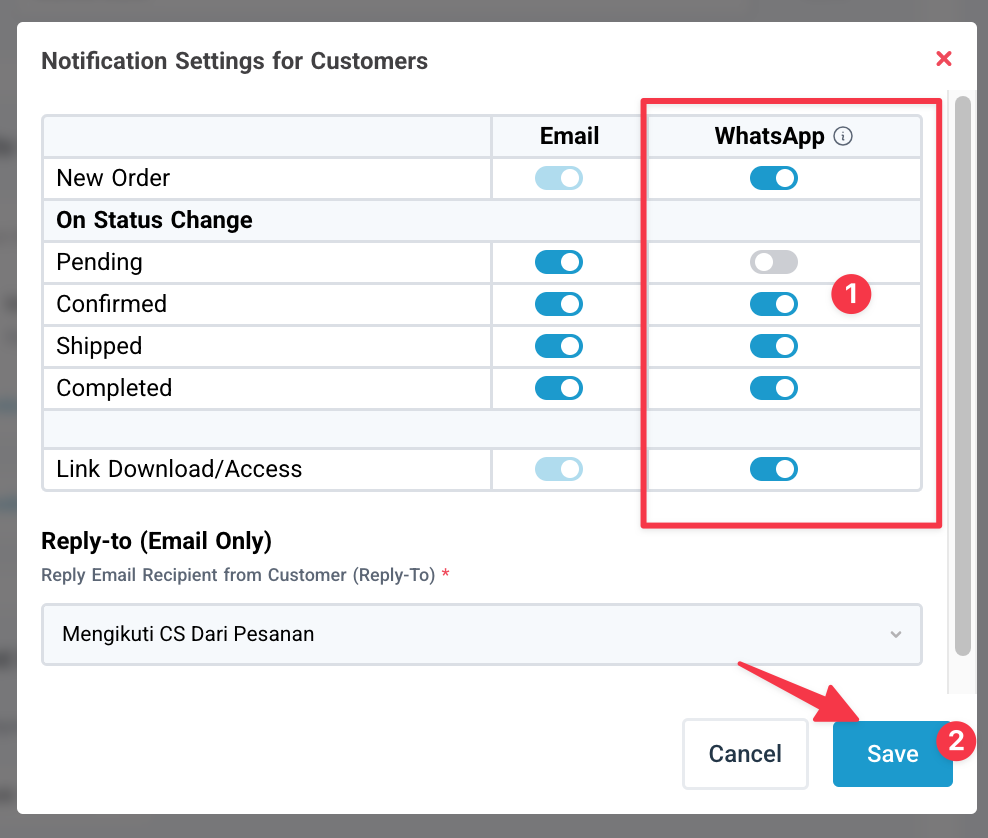
This feature sends order details to your customers via Scalev’s official WhatsApp (WA) IMPORTANT Notes:Documentation Index
Fetch the complete documentation index at: https://docs.scalev.com/llms.txt
Use this file to discover all available pages before exploring further.
- 1 WA message uses 500 Volt
- Template is default — cannot be customized
- WA number uses Scalev’s Official WA number
How to enable:
Make sure you’ve topped up Volt in the Billing menu → Purchase Then follow the steps.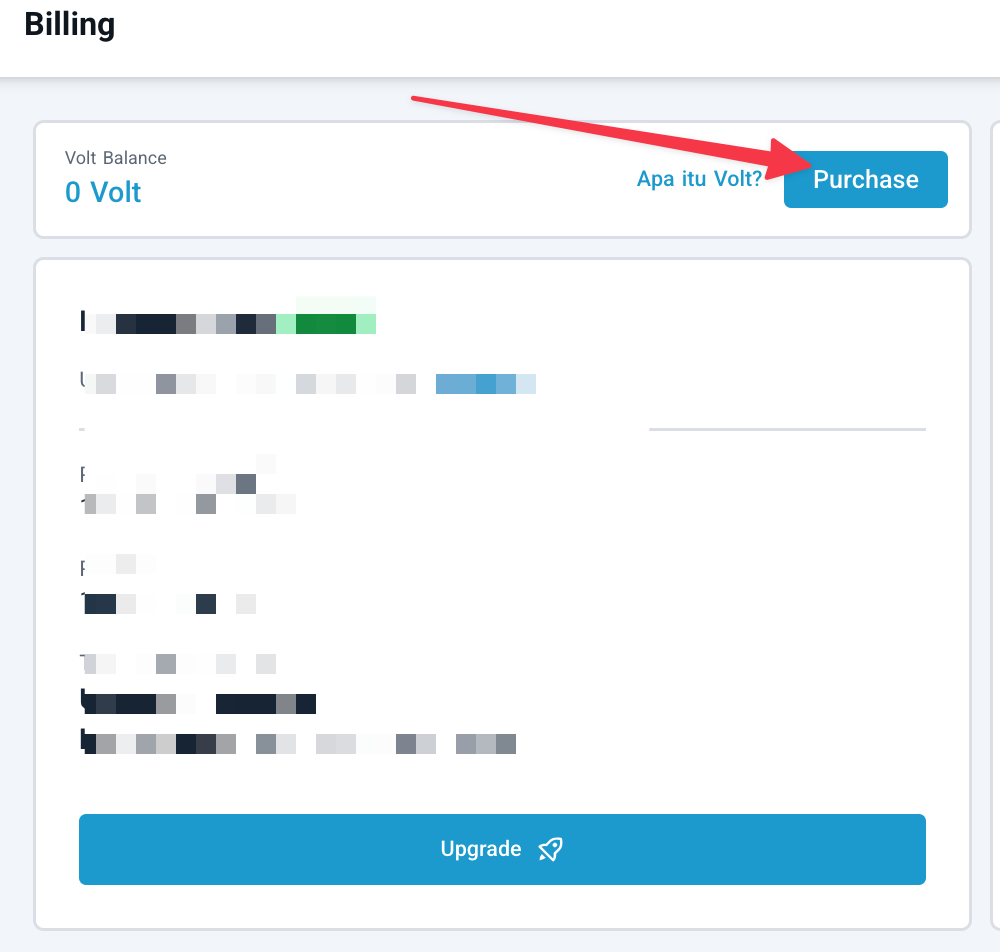
After topping up, go to Store → Notification Setting → Open
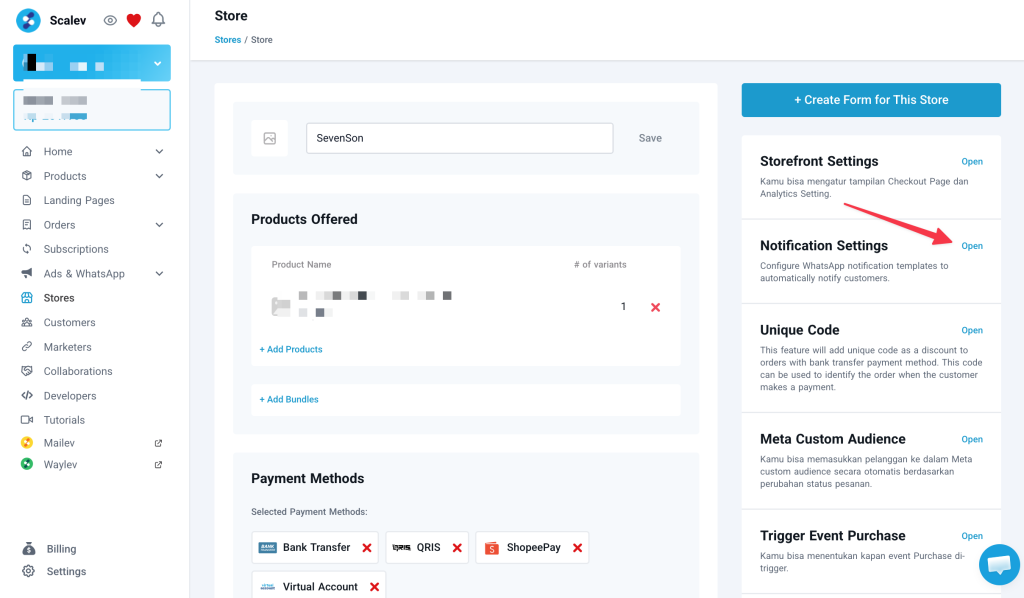 1. Enable WhatsApp:
- New Order → Sends WA notification to customers who just submitted the form.
- Confirmed → Sends WA notification to customers whose order status is confirmed.
- Shipped → Sends WA notification to customers whose order status is shipped + sends tracking number (physical products).
- Completed → Sends WA notification to customers whose order status is completed.
- Link Download/Access → Sends digital product/LMS access link to customers who’ve paid (digital products).