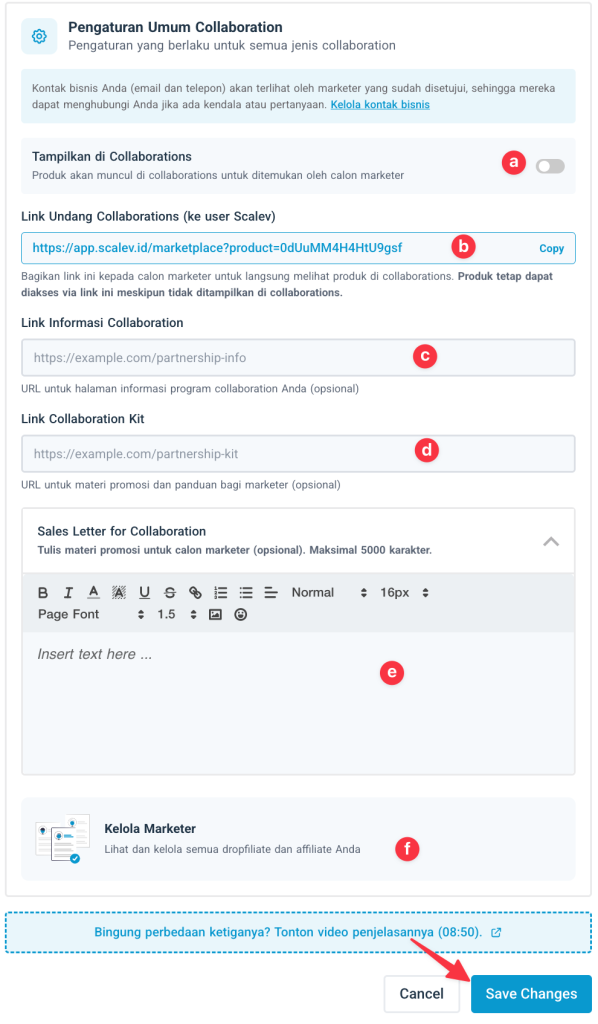
This feature lets other Scalev users sell the same product as a marketer through the following programs:Documentation Index
Fetch the complete documentation index at: https://docs.scalev.com/llms.txt
Use this file to discover all available pages before exploring further.
- Affiliator
- Affiliator Pro
- Dopfilliator
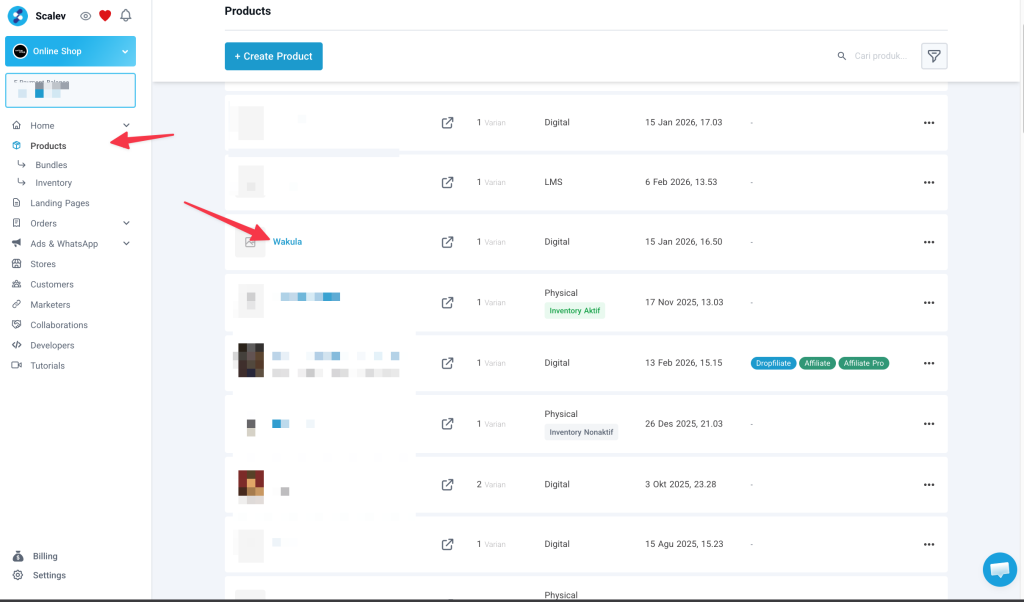
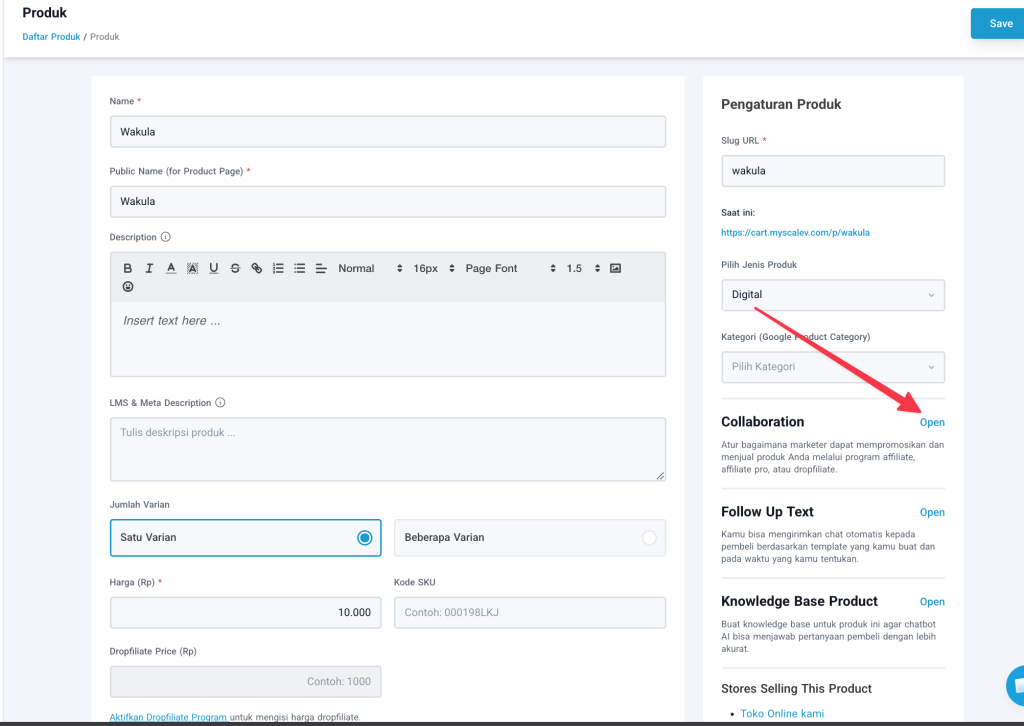
Click “Open” in the “Collaboration” section on the right side of your product detail.
You’ll then be given 3 program options to enable
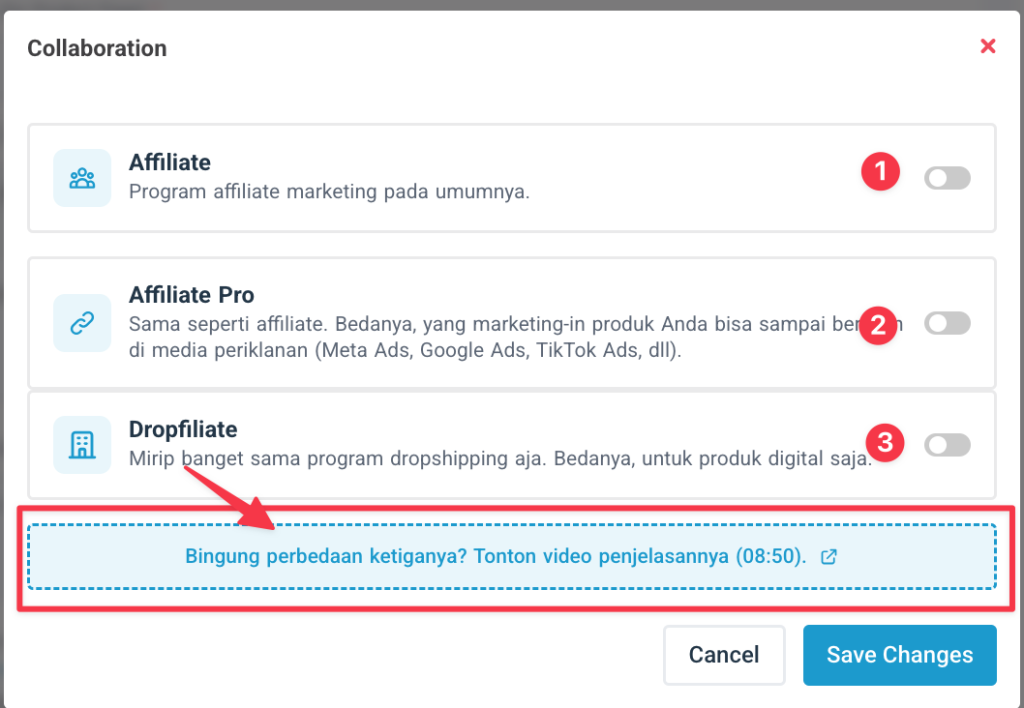 If you’re confused about the differences between the programs, watch the explanation video at Explanation Video or just click directly on the box provided.
Enabling the “Affiliate” program
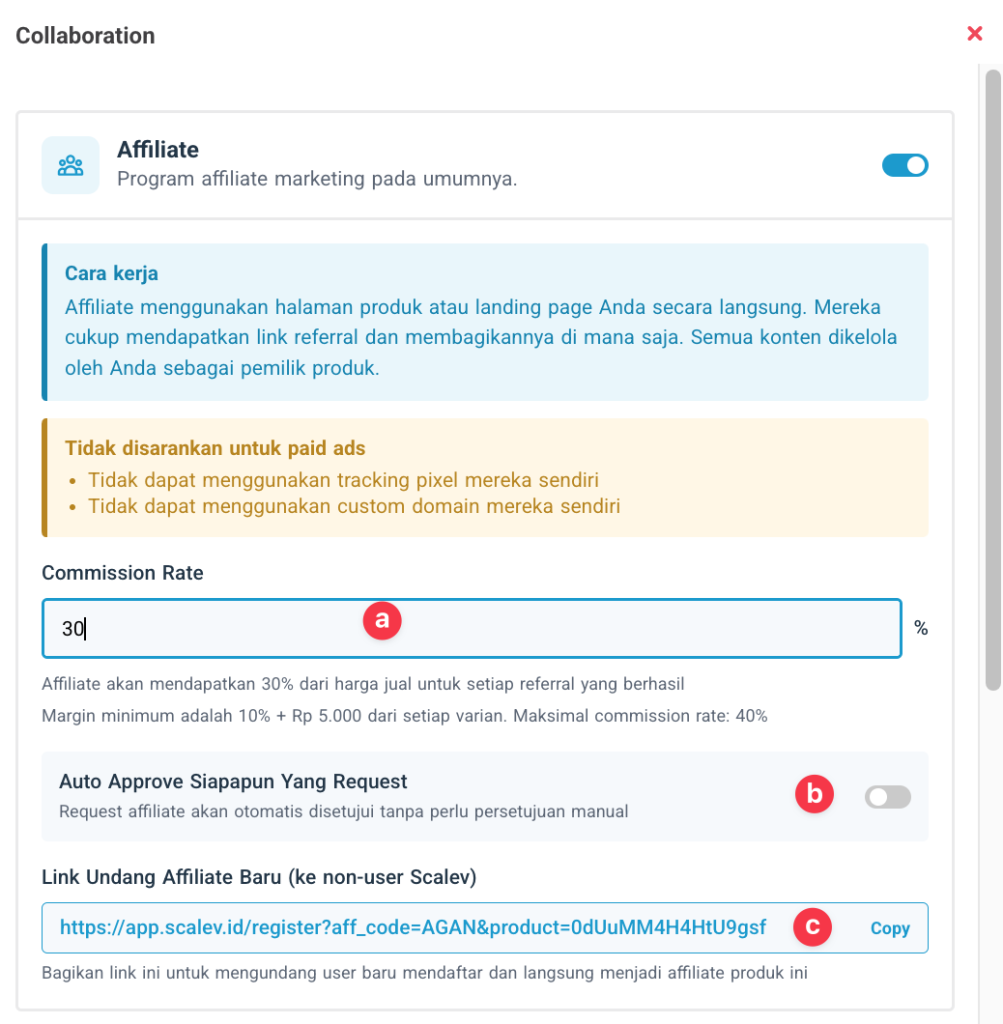
a. Fill in the Commission Rate percentage
The percentage you enter here is the commission percentage your marketers in the Affiliator program will receive.b. Auto Approve anyone who requests
When you enable this, anyone who requests to become your affiliator will be approved automatically. If not enabled, you can choose who to approve and who to reject.c. Invite New Affiliate Link.
If you want to invite affiliators who don’t yet have a Scalev account, you can give them this link.Enabling the “Affiliate Pro” program
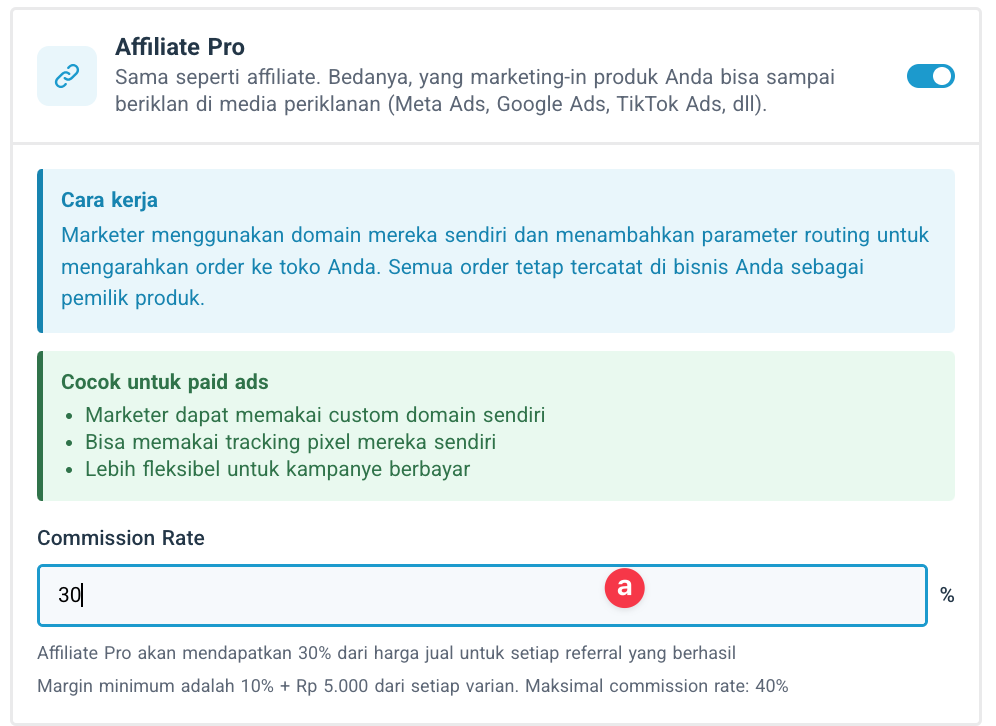
a. Fill in the Commission Rate percentage
The percentage you enter here is the commission percentage your marketers in the Affiliator Pro program will receive.Enabling the “Dropfiliate” program
This program is only for Digital/LMS products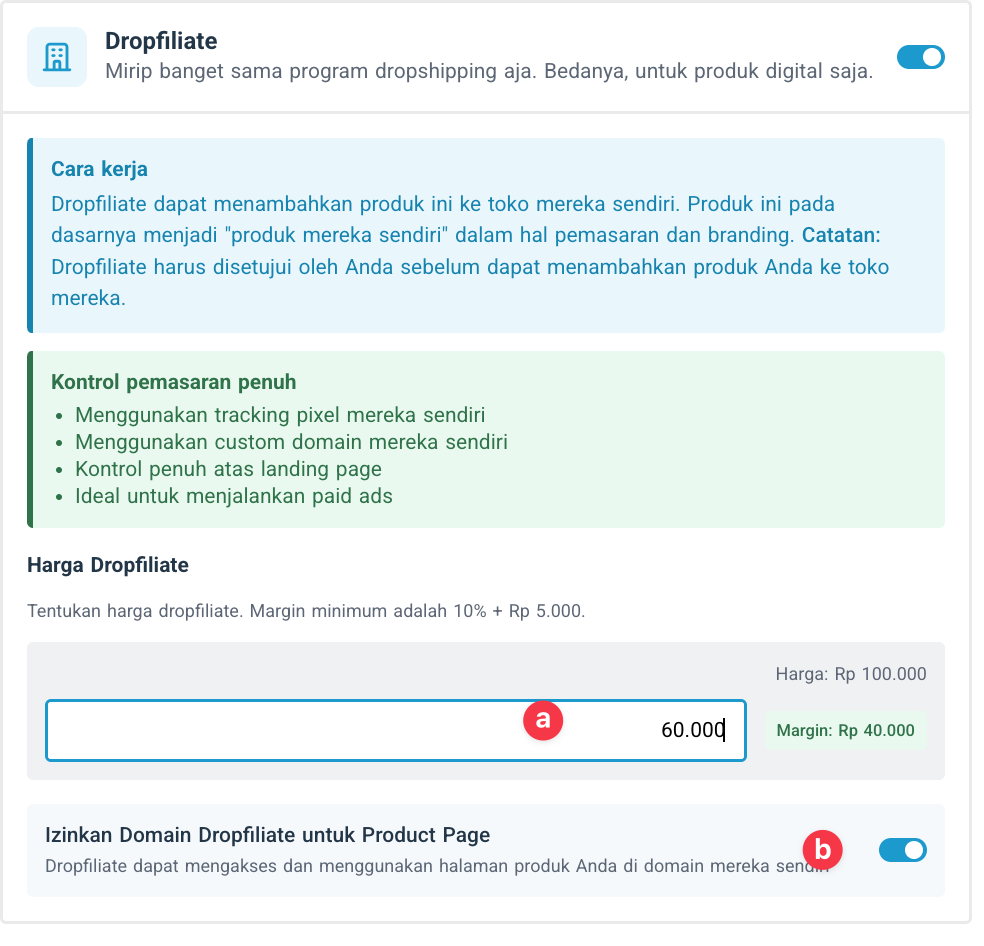
a. Enter the Drofilliate price
This is the price you’ll receive when your marketer who is a Drofilliate successfully sells your product.b. Allow Drofilliate Domain for Product Page.
When you enable this, your marketer who is a Drofilliate can sell your product using their own private domain.General Collaboration Settings