

Follow these steps to embed a Reels video from Instagram.Documentation Index
Fetch the complete documentation index at: https://docs.scalev.com/llms.txt
Use this file to discover all available pages before exploring further.
-
Open your IG profile

- Click the Reels tab to find the reels video you want to embed
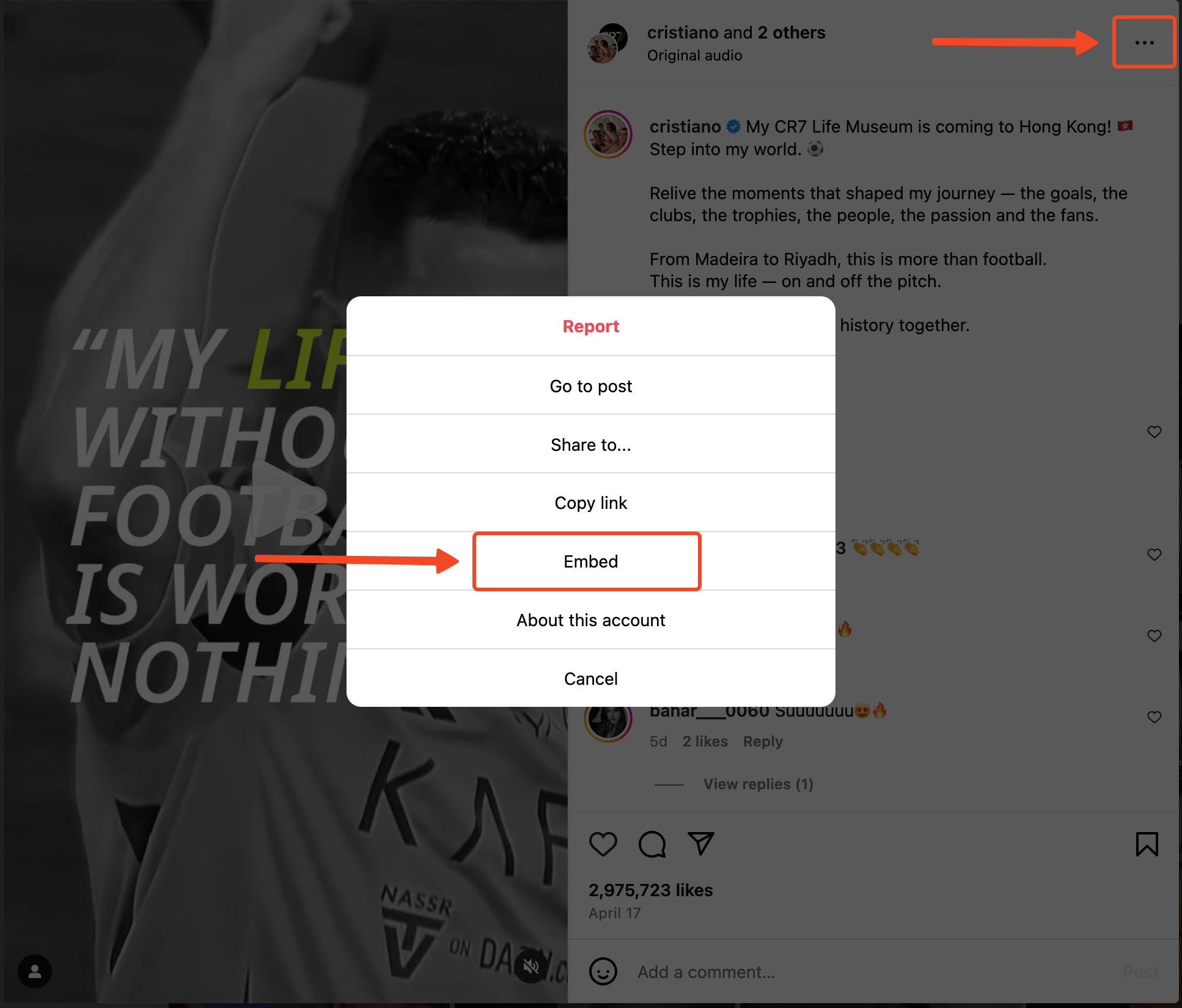
- Once the target video opens, click the three dots in the top right of the dialog
-
Then click the Embed menu
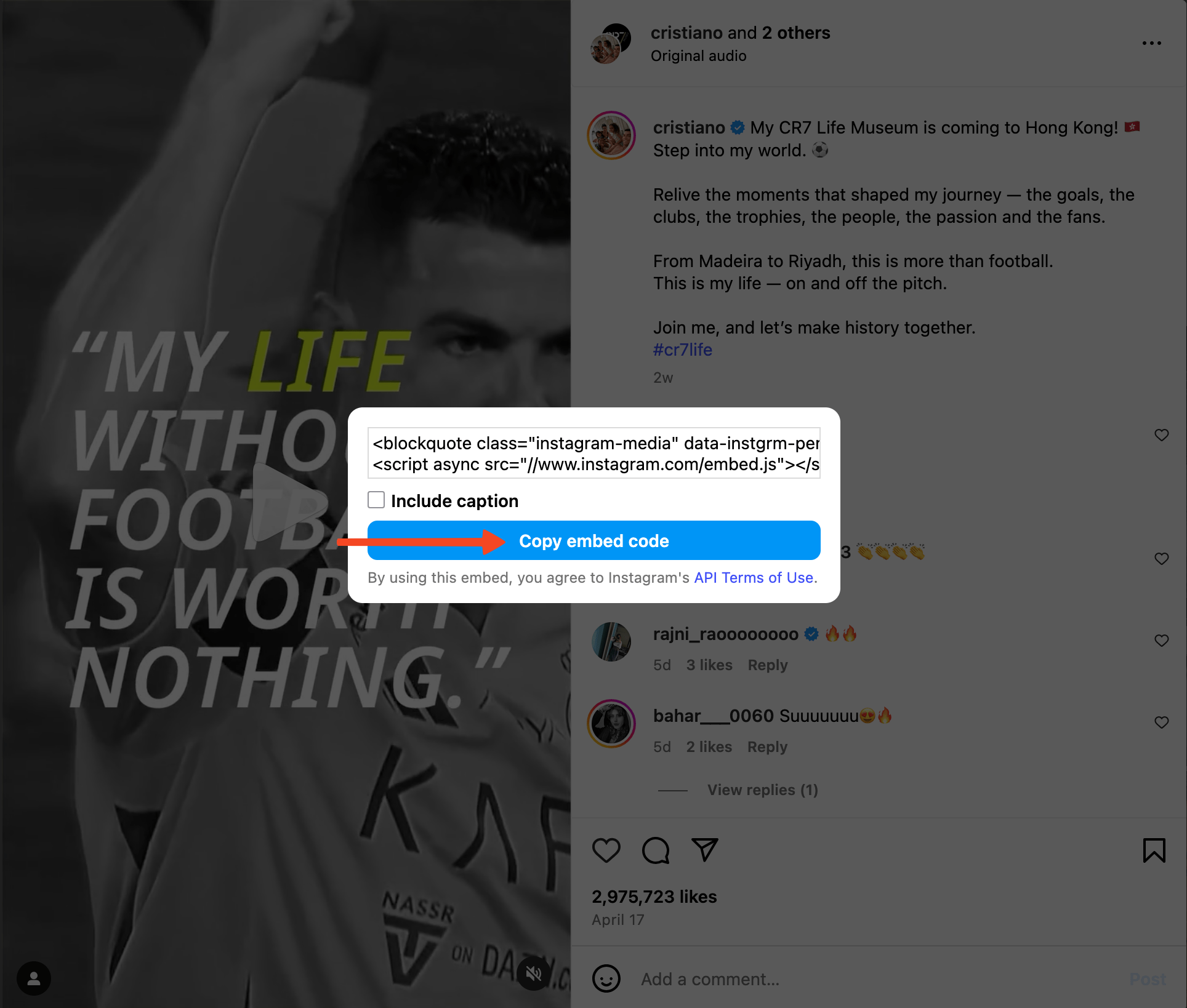
- Click the Copy embed code button to copy the embed code
-
Check / uncheck to display the reels caption (optional)
- Paste into the HTML component in Scalev Landing Page Studio (LPS)
- Save & Publish to apply the changes