

Documentation Index
Fetch the complete documentation index at: https://docs.scalev.com/llms.txt
Use this file to discover all available pages before exploring further.
Important:
Before broadcasting, make sure you’ve set up the payment method and activated your WABA in Meta Business Manager. For how to activate WABA, see → Here If done, follow the steps below: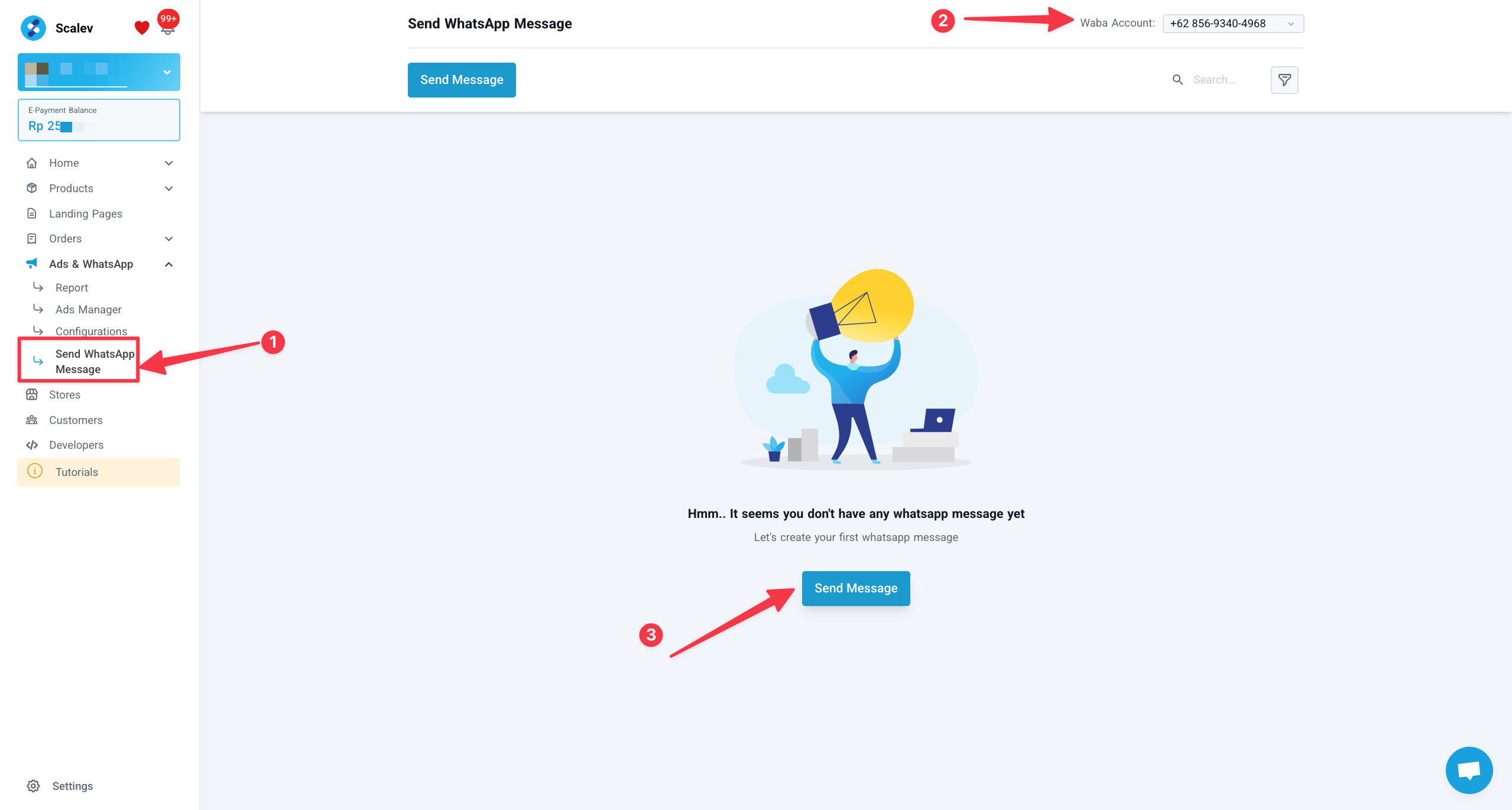
- Go to Ads & WhatsApp → Send WhatsApp Message.
- Select the WABA number you want to use.
- Click Send Message.
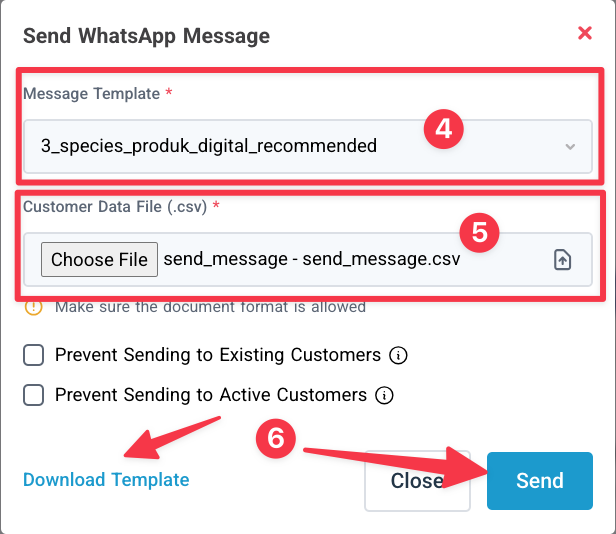
- Select the Broadcast template you want to use (if you don’t have a broadcast template yet, create one in Meta first — learn how here )
- Upload the Customer data file (your customer phone numbers).
- Click Send
⚠️ Notes:
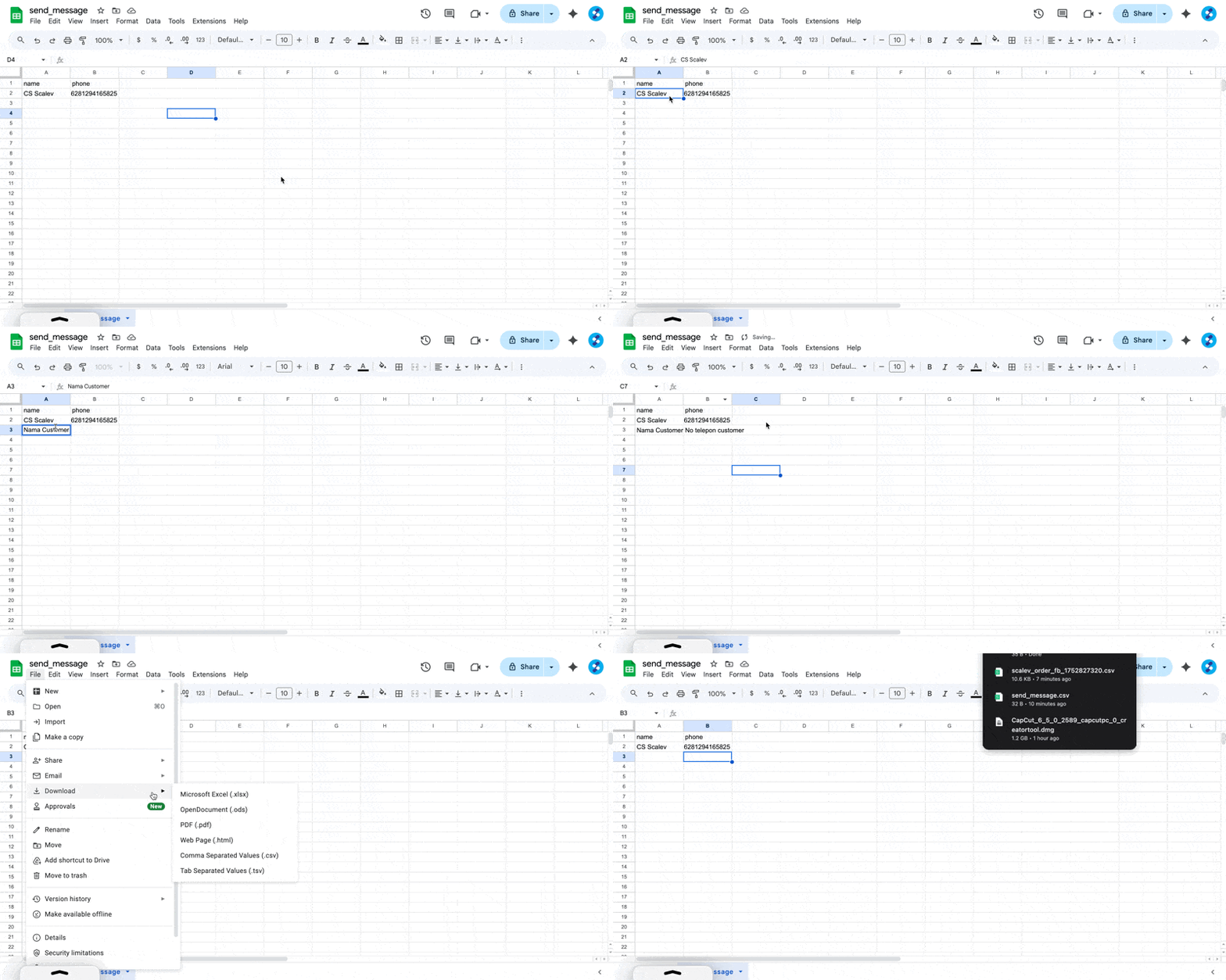
- Click “Download Template” to create a customer data file in the format Scalev accepts.
- Open the file in Google Sheets for easier editing.
- Enter your customer’s name & phone number
- Download as CSV.
- If you check “Prevent Sending to Existing Customer”, customers who have contacted WABA in your Scalev Chat won’t receive the Broadcast (excluded from broadcast recipients).
- If you check “Prevent Sending to Active Customer”, customers who received your broadcast within the last 7 days won’t receive your new Broadcast (excluded from broadcast recipients).