

To create a floating button leading to the order form, follow these steps:Documentation Index
Fetch the complete documentation index at: https://docs.scalev.com/llms.txt
Use this file to discover all available pages before exploring further.
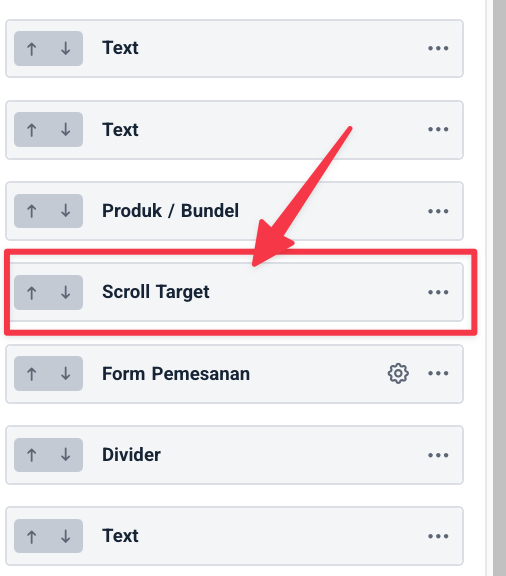
- Add a scroll target component above the order form component.
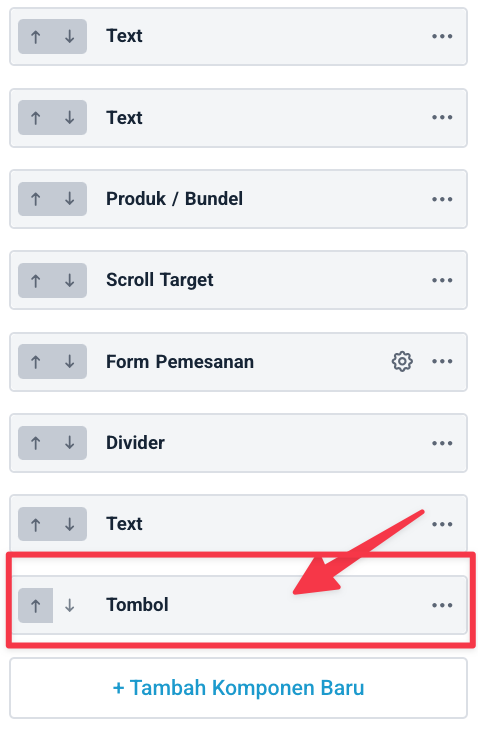
- Add a button component at the very bottom of your landing page
- Configure the button component like this:
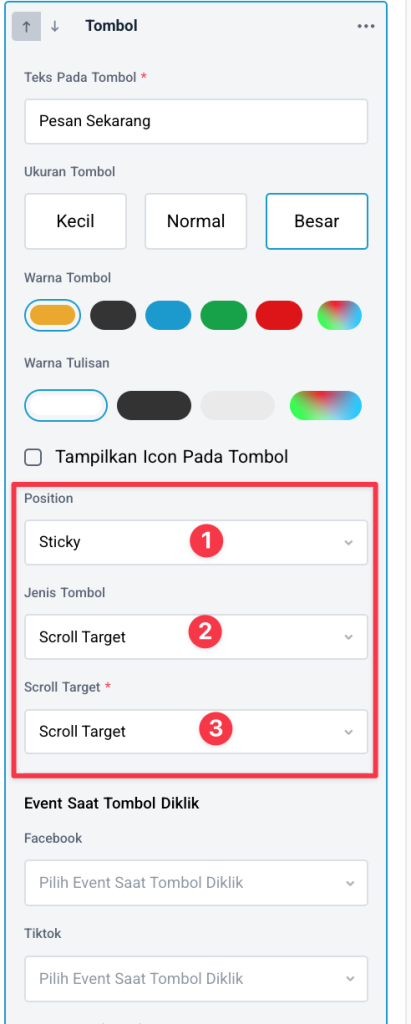
- Set Position to Sticky
- Set the button type to Scroll target
- Point the Scroll target to the Scroll Target component you placed above the order form.