

Go to this link: https://www.privacypolicygenerator.org/ Then…Documentation Index
Fetch the complete documentation index at: https://docs.scalev.com/llms.txt
Use this file to discover all available pages before exploring further.
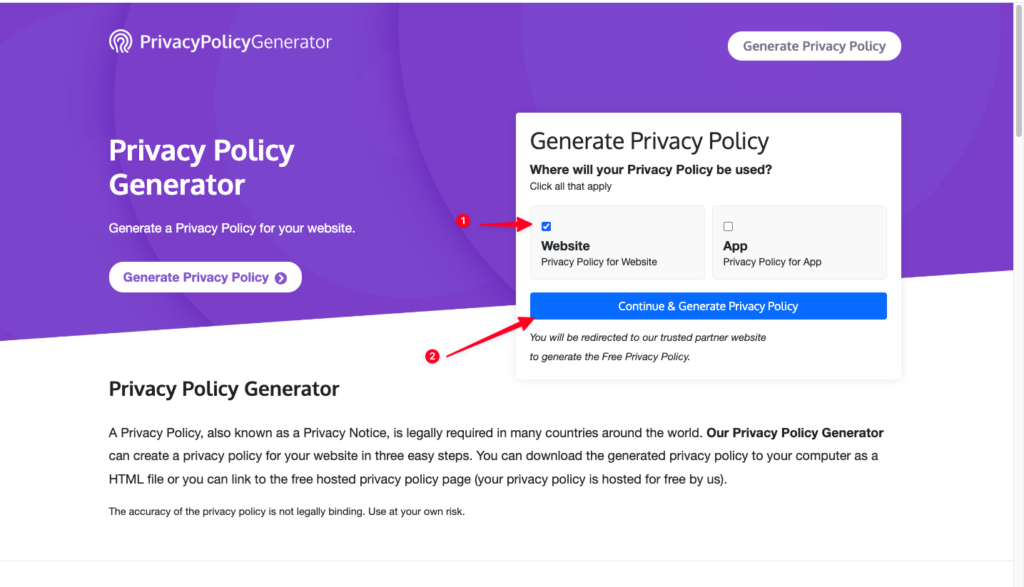
- Check “Website”
- Click “Continue & Generate Privacy Policy”
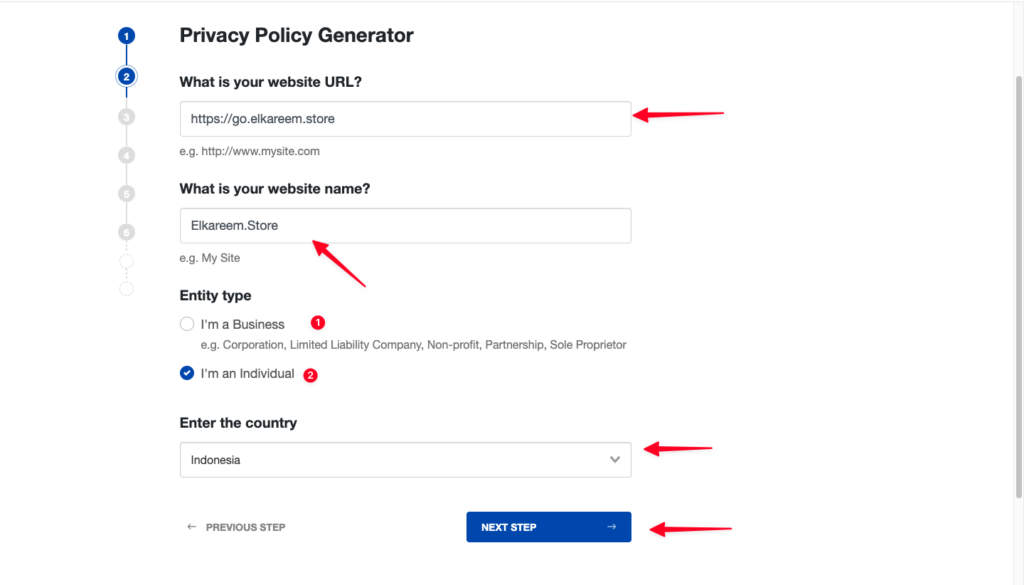
- Enter your Website URL
- Enter your Website Name
- For Entity Type:
- Select “I’am a bisnis”, if your business uses business entity data.
- Select “I’am an Individual”, if your business uses personal data.
- Select Indonesia as the country
- Click “Next Step”
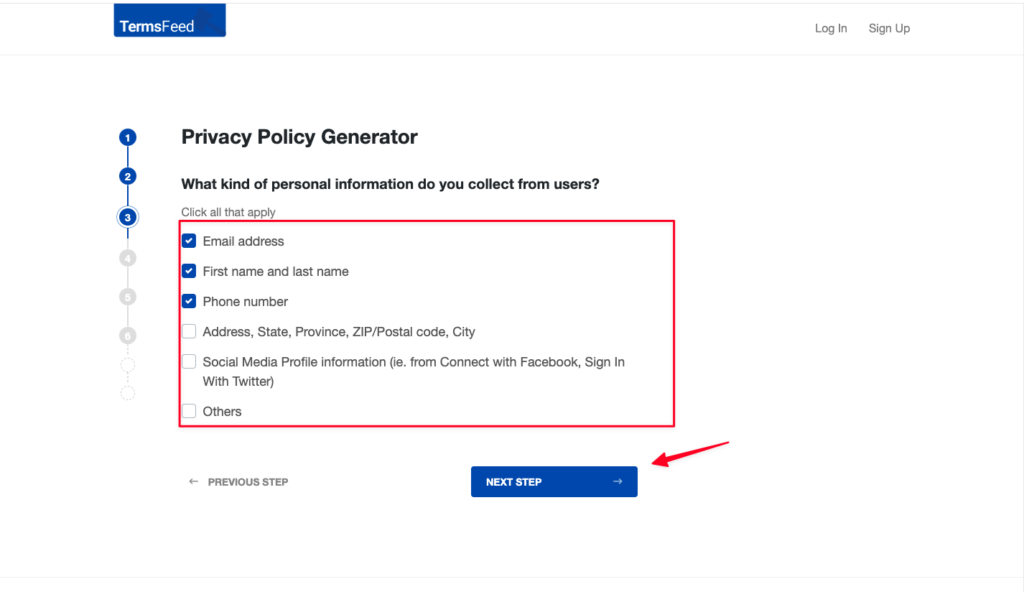
- Check which data you’ve enabled on your order form
- Click “Next Step”
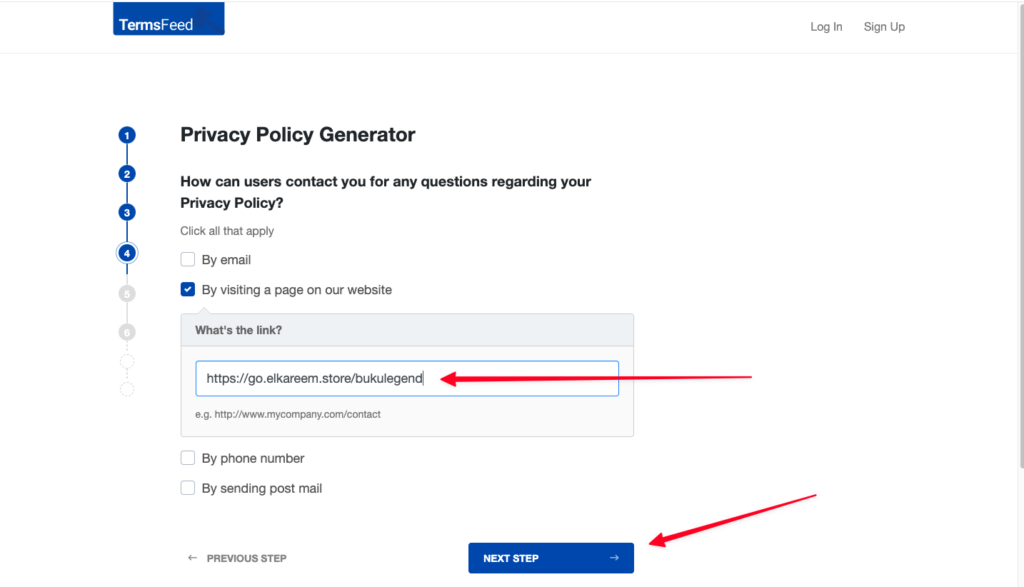
- Check “By visiting a page our website”
- Enter your Landing Page link
- Click “Next Step”
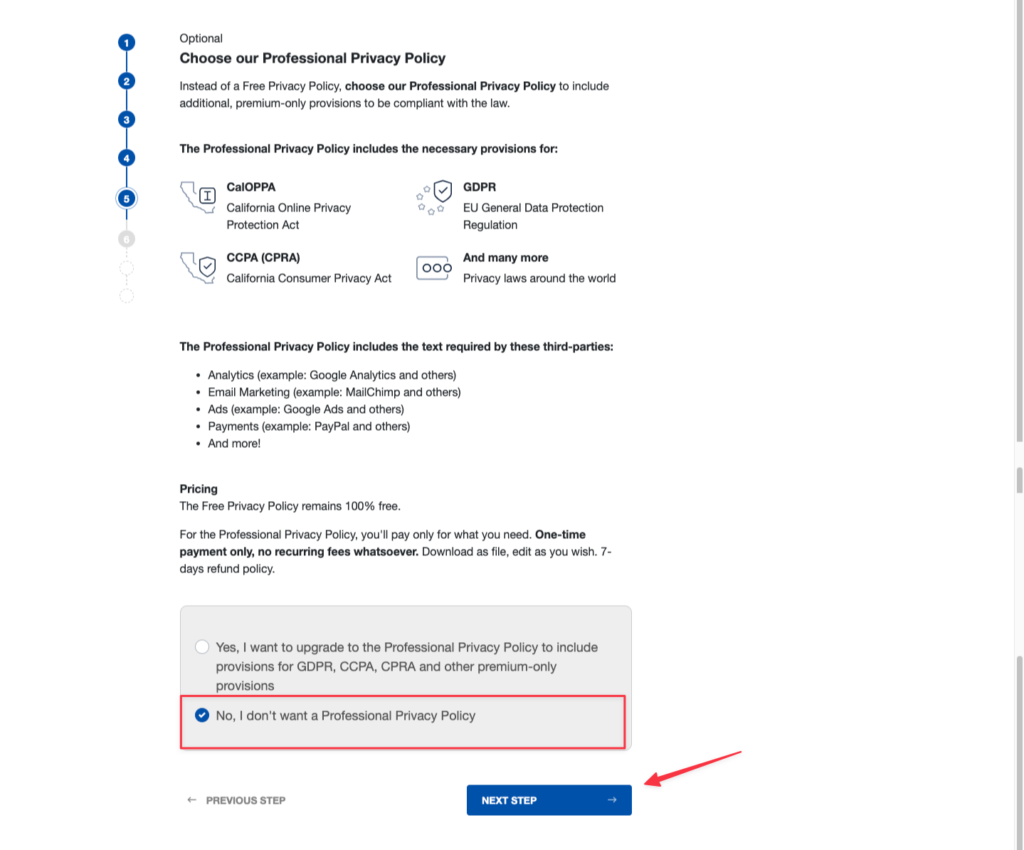
- Check “No, I don’t want a Professional Privacy Policy”
- Click “Next Step”
- Enter your email.
- Then click “Generate”

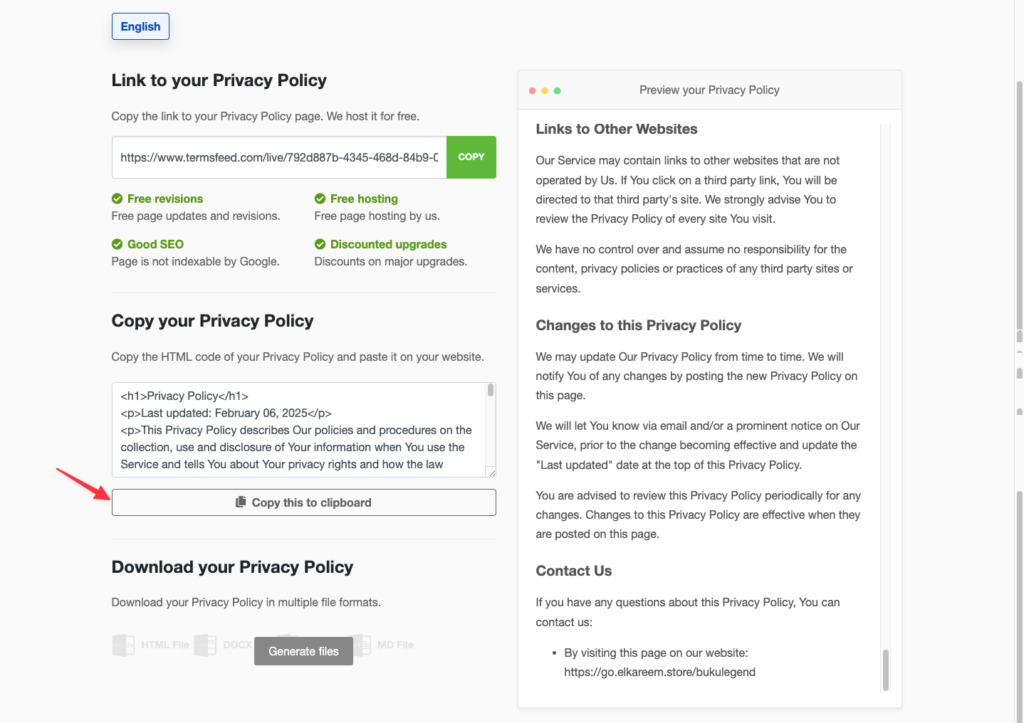
- Scroll down.
- Then click “Copy this to clipboard”
- Go to https://app.scalev.id/pages
- Click Add landing page
- Select Blank Page.
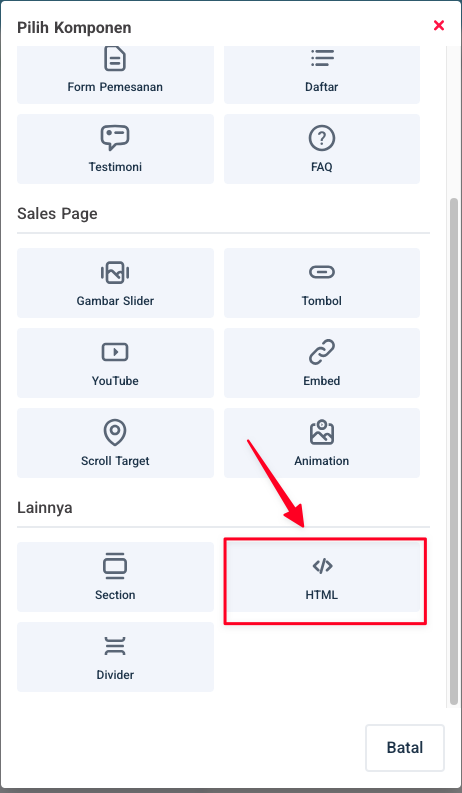
- Add a component & select html.
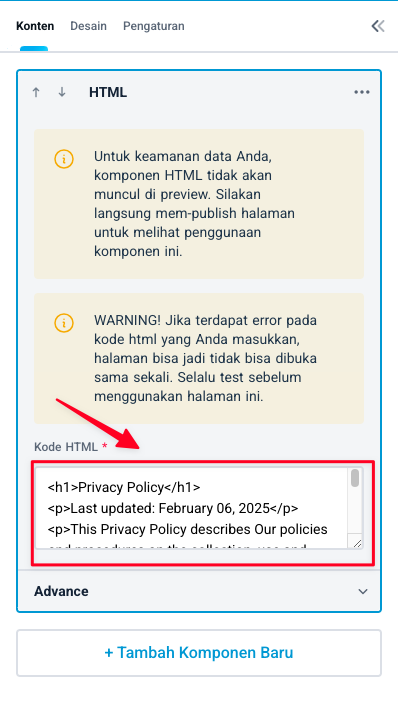
- Paste the HTML Code you just copied.
- Set the slug & landing page name.
- Then click “Save & Publish”