

Documentation Index
Fetch the complete documentation index at: https://docs.scalev.com/llms.txt
Use this file to discover all available pages before exploring further.

- Go to Accounts → WhatsApp Account in your Business Manager.
- Click the WhatsApp account you want to add a payment method to.
- Click the three dots on the right.
- Select Payment Setting.
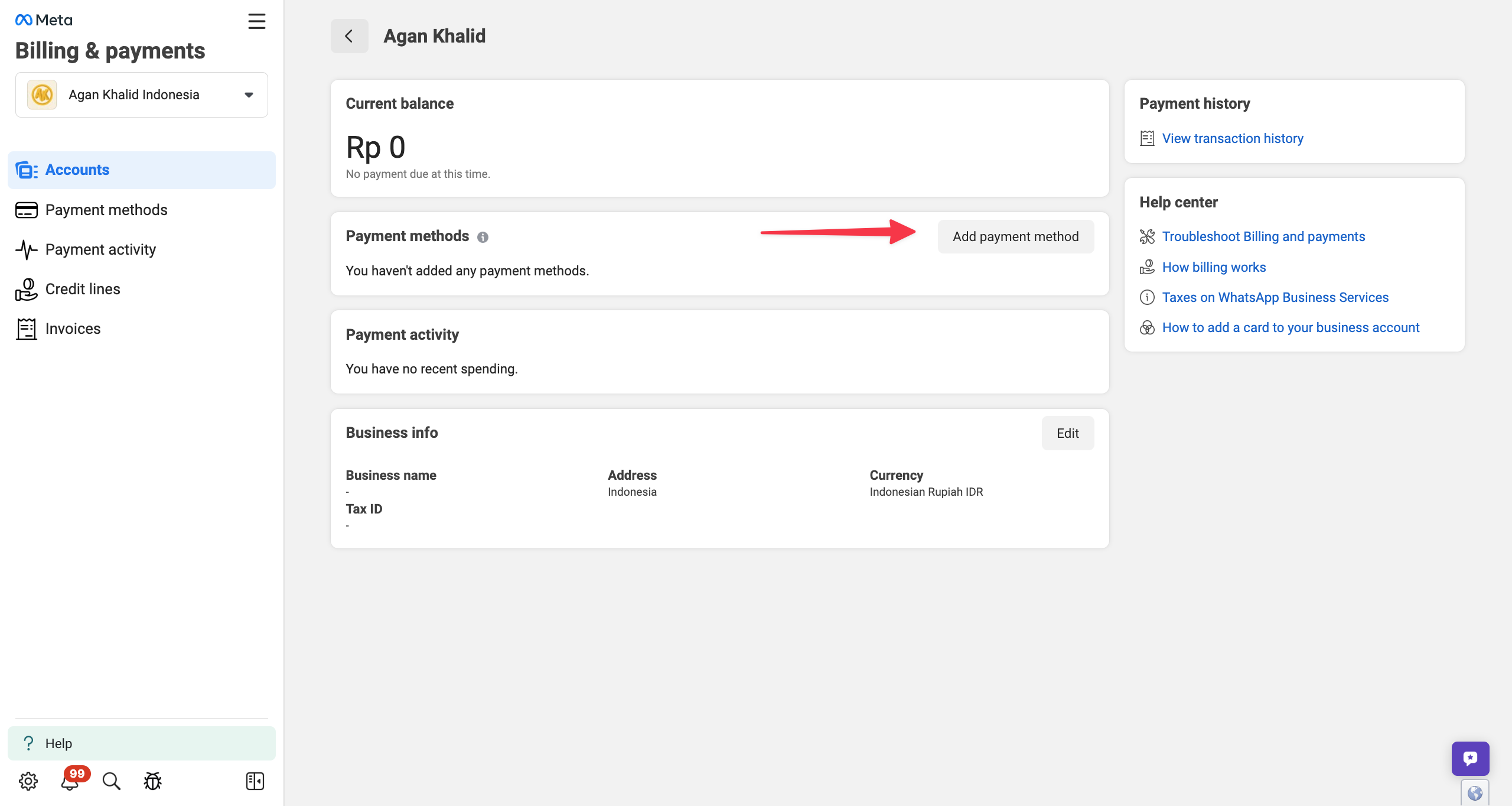
- When it appears, click Add payment method.
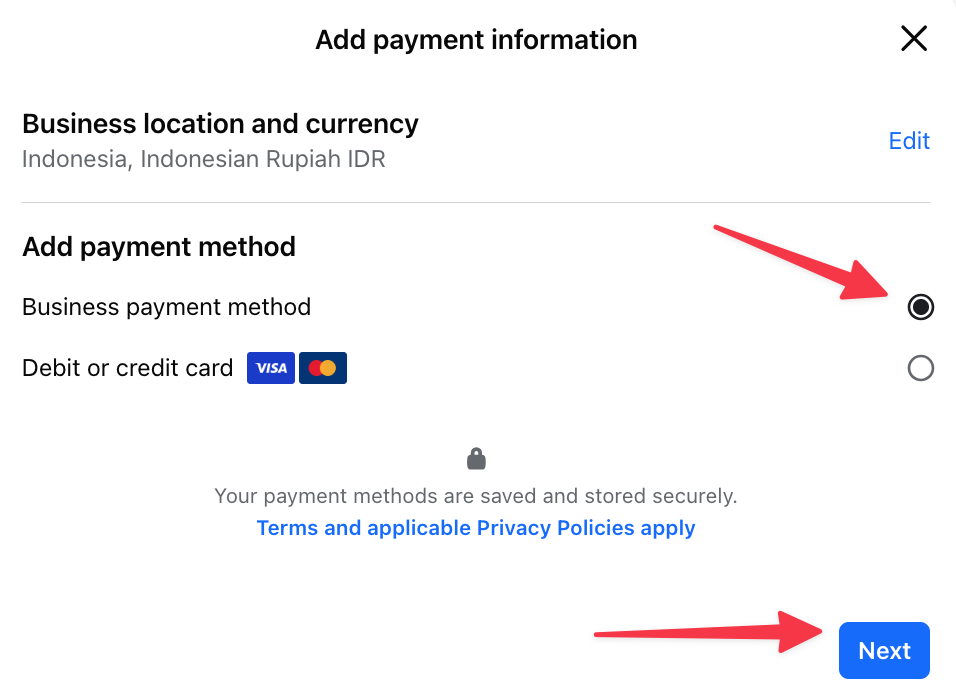
- If you’ve already linked your credit card to your Business Manager before, select Business Payment Method & click Next
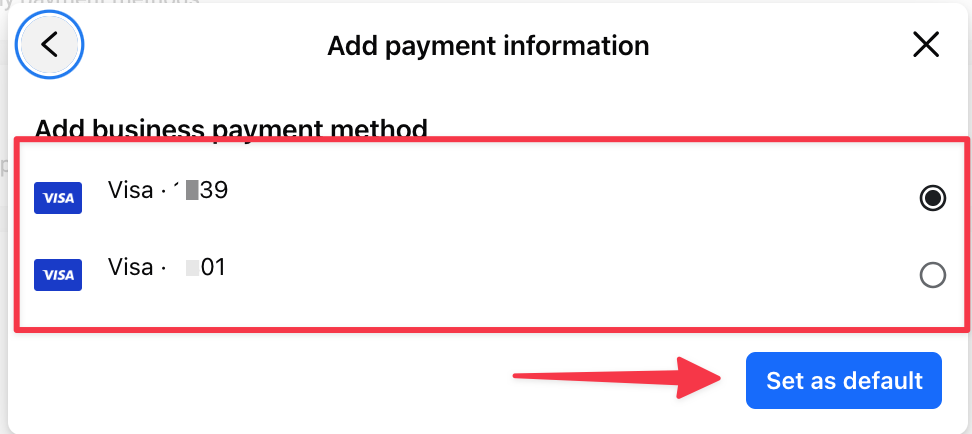
 Then select the credit card to use & click Set as default
 ⇣
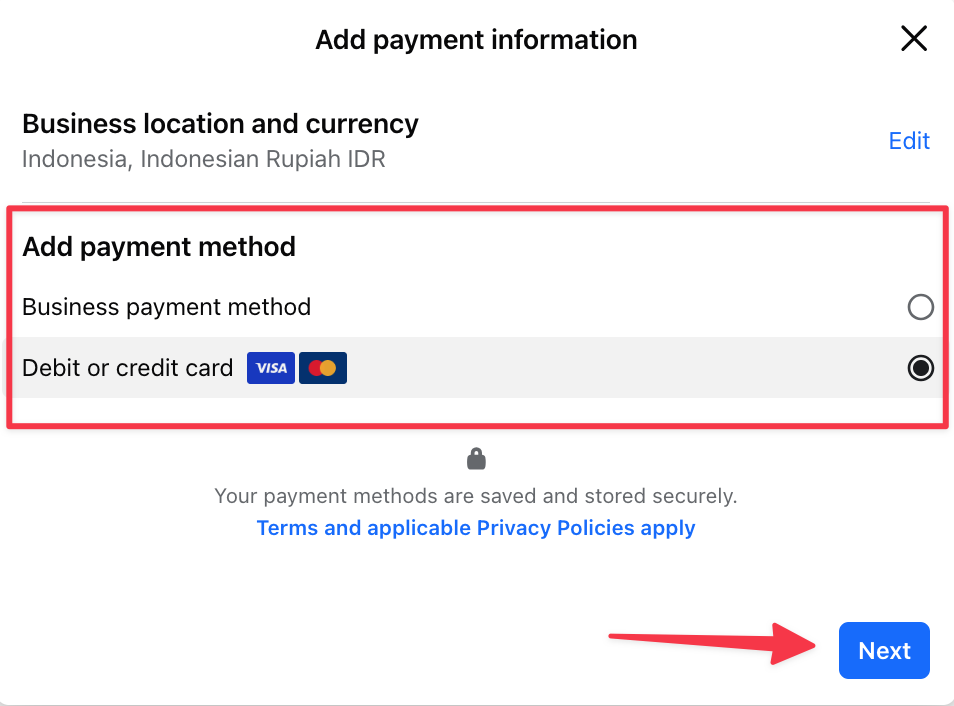
If you haven’t linked your credit card to your Business Manager yet, select Debit or credit card & click Next
⇣
If you haven’t linked your credit card to your Business Manager yet, select Debit or credit card & click Next
 Enter your credit card details & click Save
 You’ll then be asked to enter an OTP — complete the credit card registration and click Save as Default.
Scalev WABA is part of the Waylev (Scalev Chat) service.
You’ll then be asked to enter an OTP — complete the credit card registration and click Save as Default.
Scalev WABA is part of the Waylev (Scalev Chat) service.