

As a seller, you can resend the LMS access email to your student/customer. Useful when:Documentation Index
Fetch the complete documentation index at: https://docs.scalev.com/llms.txt
Use this file to discover all available pages before exploring further.
- A student claims they never got the email. Just resend it. Avoid unnecessary disputes.
- A student entered the wrong email during purchase. After fixing the email in the order, they need access sent to the correct email — just resend the access.
- You accidentally disconnected your domain or subdomain from your store. If a sale happened during that time, you can now resend the access.
- Other situations where you need to resend LMS access to the buyer’s email.
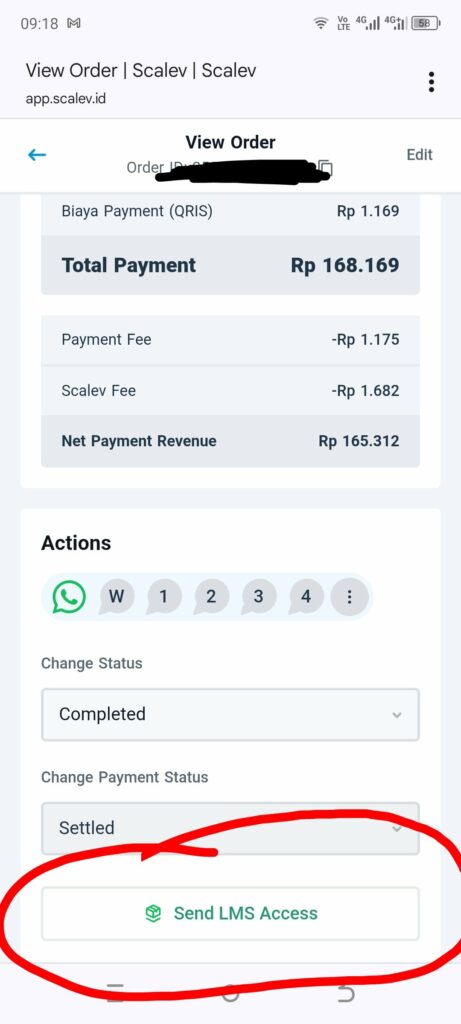
- Go to the order.
- Find the “Send LMS Access” button.
- Click it
 ===
===
By the way…
Why is it called “RESEND”? Because normally access is automatically sent to the buyer/student’s email once payment is confirmed.- Either because the payment method uses epayment
- Or because the payment method uses bank transfer with unique number & Moota integration (so payment against the invoice is auto-detected).