

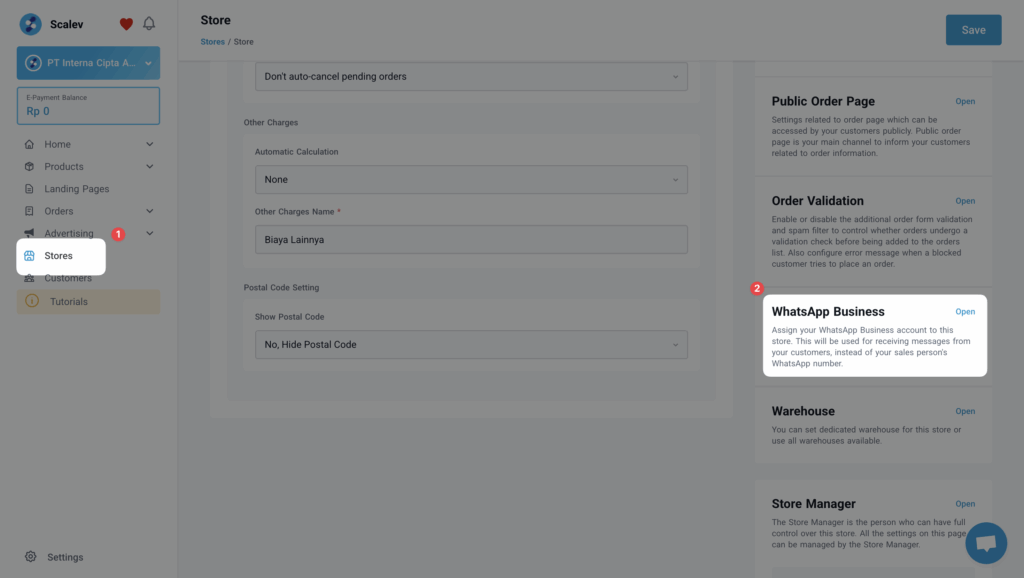
First go to the STORE level then find the WhatsApp Business menu on the right sideDocumentation Index
Fetch the complete documentation index at: https://docs.scalev.com/llms.txt
Use this file to discover all available pages before exploring further.
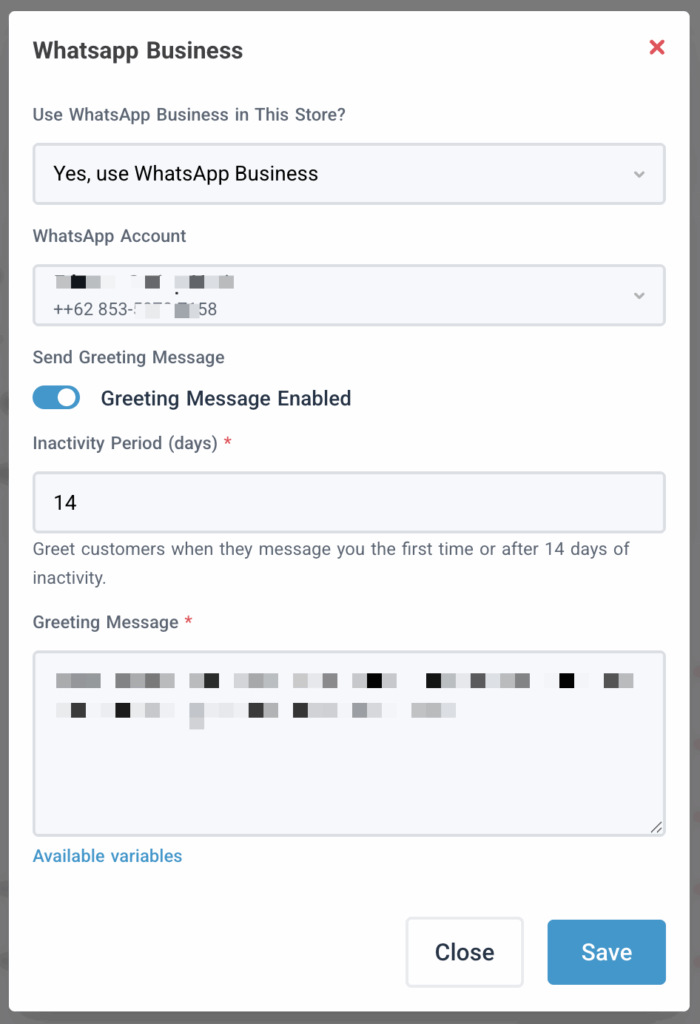
 Then you can configure the following:
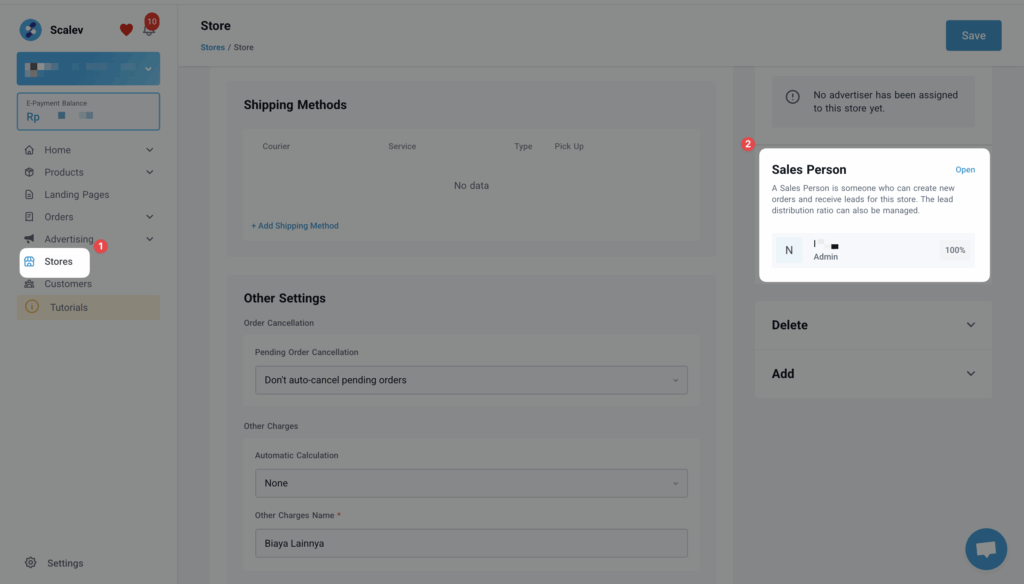
 To set up CS rotation, go back to the STORE menu, then find the SALES PERSON sub-menu
 Then configure who receives incoming leads in your WhatsApp Business here:
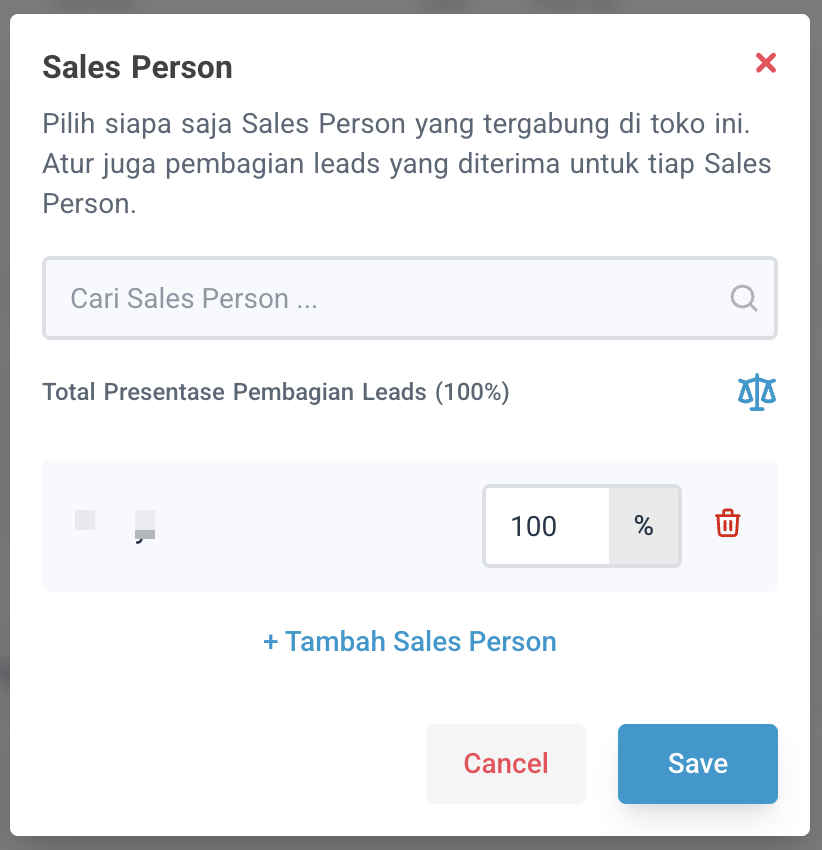 Note that the sales person list shown here only includes people already added as members of your business at the sales person level and above (including you, if you’re the owner). If not added yet, no other people will appear here.